



If you find yourself doing the same small job again and again, a short Python script can usually do it for you. You do not need to be an expert. Many useful automations are only a few dozen lines long.
The pattern behind every automation
Whether it renames files or builds a weekly report, an automation follows the same shape: something starts it, a script does the work, and you get a result. Seeing this pattern makes it much easier to plan your own.
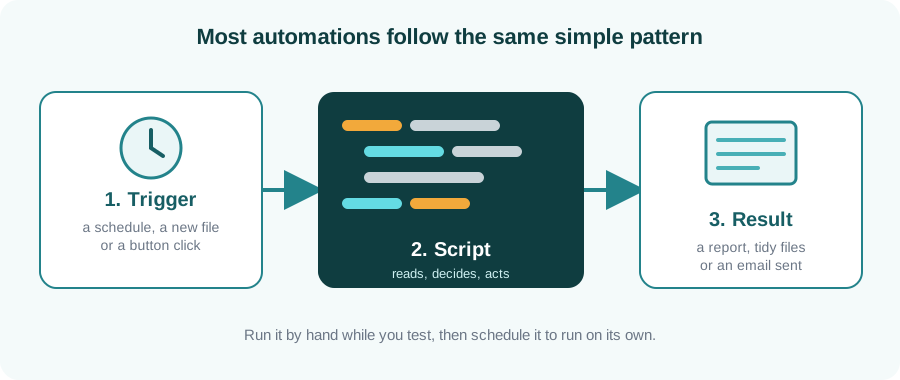
Five tasks to try
| Task | What you practise |
|---|---|
| 1. Rename and sort files | Loops, file paths and the standard library |
| 2. Merge several spreadsheets | Reading Excel or CSV files with pandas |
| 3. Clean up messy data | Removing duplicates, fixing text and dates |
| 4. Build a weekly summary report | Grouping and totals, writing a new file |
| 5. Send yourself a reminder email | Working with a library and scheduling |
Tips before you start
Work on copies. Test every script on a copy of your files first, and make it print what it would do before it changes anything. A mistake in an automation repeats itself quickly.
- Start with one small task you actually repeat.
- Write the steps in plain English before any code.
- Add a few print statements so you can see what is happening.
- Keep your script in one folder with a short note on how to run it.
Key takeaways
- Automations follow one pattern: trigger, script, result.
- Small scripts that save you ten minutes a week are worth writing.
- Always test on copies and check the output.
- Start with a task you really do, so you notice the benefit.
Learn Python step by step
Our Python Programming course takes you from the basics to practical automation, with feedback from a trainer.
Enquire about Python training