What is RPA? A beginner’s guide

What is RPA? A beginner's guide

By Omega Academy · 3 min read

Robotic process automation, or RPA, uses software “bots” to do repetitive computer tasks the way a person would: opening applications, copying data, filling in forms and sending emails. No physical robots are involved, just software following clear instructions.

How an RPA bot works

An RPA bot works through the same screens and files that you use, so it can automate work across applications that were never designed to talk to each other. Most bots follow the same five steps.
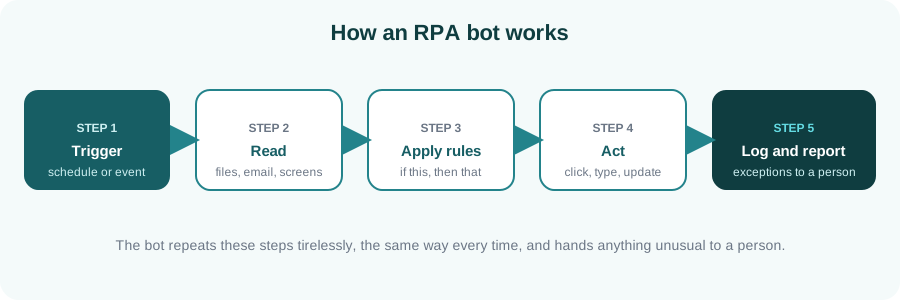
Diagram of an RPA bot: trigger, read, apply rules, act, log and report
A typical RPA bot: the same steps, the same way, every time.

Where RPA works well

RPA suits work that is repetitive, rule-based and done on a computer. Typical examples include:

  • Entering invoice or order data into an accounting system
  • Producing and emailing regular reports
  • Moving data between two systems that do not integrate
  • Carrying out the repetitive steps of employee onboarding
  • Reconciling figures between spreadsheets and applications

Is your process a good candidate?

Good candidate Poor candidate
Follows clear, written rules Needs frequent human judgement
Done often, in high volume Rare or one-off
Uses structured digital data Relies on handwriting or free-form text
Stable, rarely changes Changes every few weeks
Tip: fix the process first, then automate it. Automating a confusing process only produces confusing results faster.

What does an RPA developer do?

An RPA developer studies a process with the people who run it, designs the automation, builds and tests it, deploys it and keeps it running when applications change. Popular platforms include UiPath, Blue Prism and Automation Anywhere, and the core ideas carry across all of them. Because tools are visual, beginners can build a first working bot much sooner than they could write the same logic in code.

Key takeaways

  • RPA bots follow rules to do repetitive work across applications.
  • It suits high-volume, stable, rule-based processes with structured data.
  • Tidy up the process before you automate it.
  • The skills transfer between RPA platforms.

Want to build your first bot?

See our RPA with UiPath course, or tell us about your background and we will suggest a starting point.

Enquire about RPA training
How to choose your first IT skill

Three paths into IT: data, automation and testing

By Omega Academy · 3 min read

Many people start an IT learning journey by asking which skill is hottest right now. That is a hard question to answer, and the answer keeps changing. A better question is which skill suits the way you like to work.

Start with how you like to work

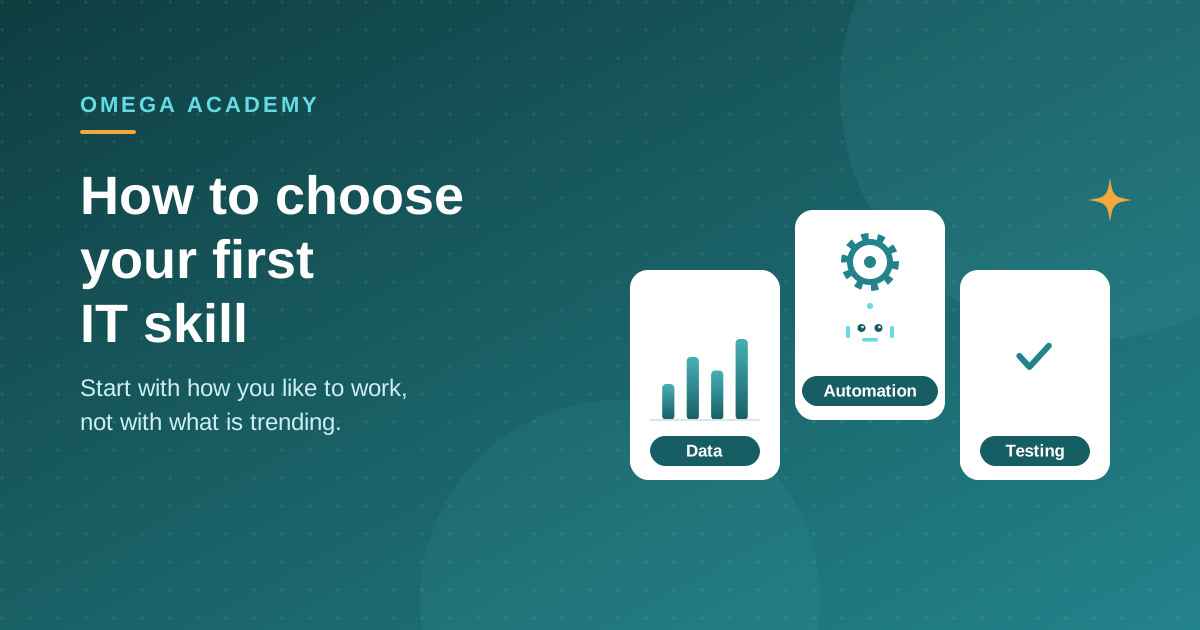
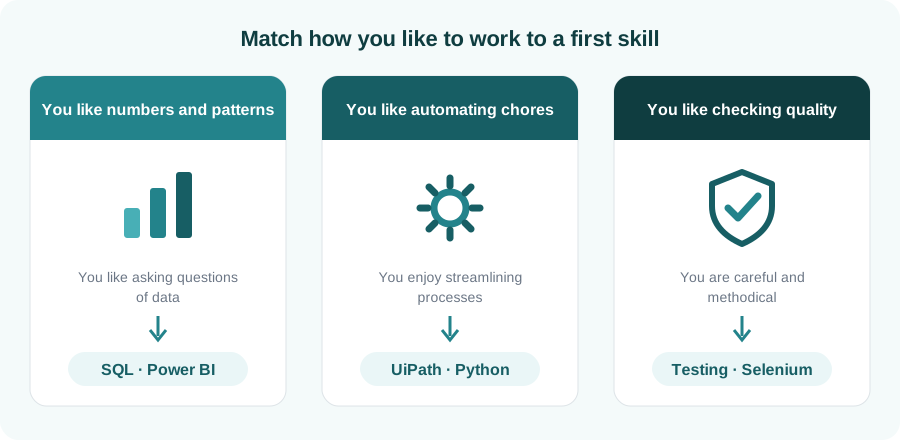
Most entry-level IT skills fall into three broad families. Look at the three cards below and see which one sounds most like you.

Diagram matching three working styles to first skills: SQL and Power BI, UiPath and Python, testing and Selenium
Match your working style to a sensible first skill.
Quick test: think of a task you enjoyed at work or in college. Was it spotting a trend in a spreadsheet, getting rid of a boring manual step, or catching a mistake before anyone else did? That instinct usually points to your best starting point.

Pick a skill with a clear first project

The best first skill is one where you can build something small within a few weeks. A visible result keeps you motivated far more than a long list of topics. Here are realistic first projects for each skill:

Skill A good first project
SQL Answer a handful of business questions from a sample sales database.
Power BI Turn a messy spreadsheet into a clean, interactive dashboard.
Python Write a script that renames and organises a folder of files.
RPA (UiPath) Build a bot that copies data from a spreadsheet into a web form.
Selenium Write an automated test that checks a login page.

Do not try to learn everything at once

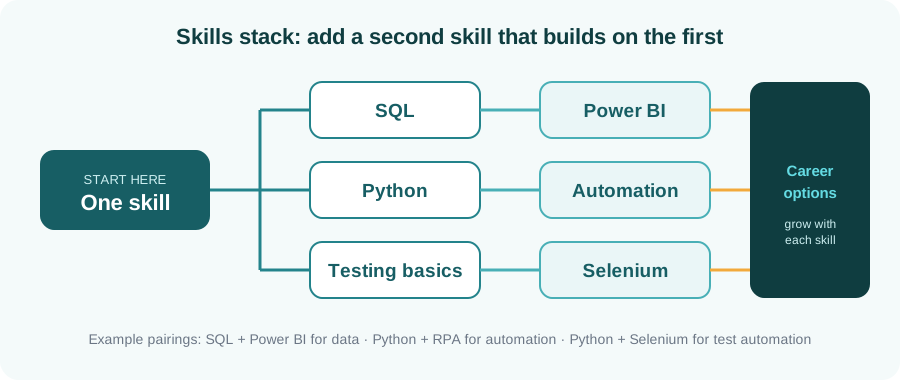
Choose one skill, practise it until you are comfortable, then add a second that builds on it. Skills stack: SQL pairs naturally with Power BI, and Python pairs well with both data work and automation. A focused start beats a scattered one.

Diagram showing SQL leading to Power BI, Python to automation and testing basics to Selenium
One skill first, then a second that builds on it.

Learn with feedback

Self-study works for some people, but a trainer who reviews your work and answers questions saves a lot of time, especially at the beginning. Look for live, hands-on sessions, practice exercises, and a way to prove what you learned.

Key takeaways

  • Choose by working style first, trends second.
  • Pick a skill where you can finish a small project within weeks.
  • Add a second skill that builds on the first, not a random new one.
  • Learn with feedback from someone who reviews your work.

Not sure where to begin?

Tell us about your background and goals, and we will suggest a starting point. You can also browse all Omega Academy courses.

Talk to us about your first course