Practical AI uses at work: 7 things you can try this week

Practical AI uses at work

By Omega Academy · 3 min read

You do not need to be technical to get value from AI tools. Here are seven everyday ways professionals use them, with simple prompts you can adapt. Try one this week and see how much time it saves.
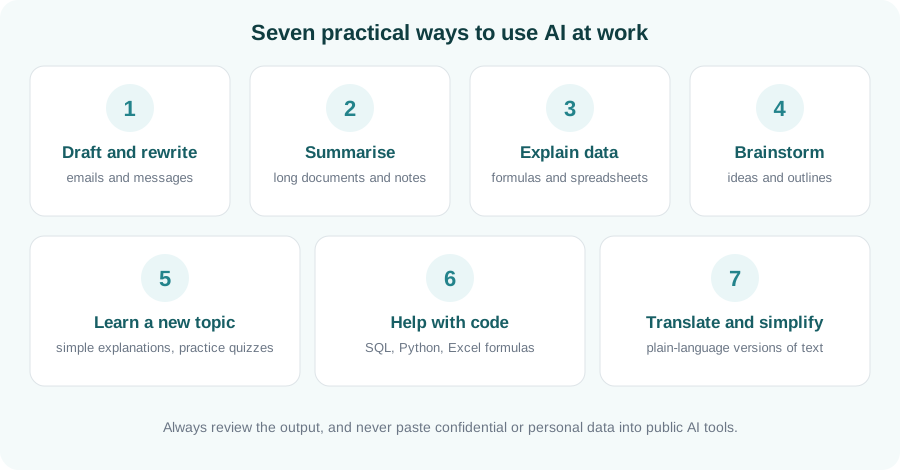
Seven practical uses of AI: draft and rewrite, summarise, explain data, brainstorm, learn a topic, help with code, translate and simplify
Seven practical ways to use AI at work.

1. Draft and rewrite messages

Ask for a first draft of an email, then adjust the tone. Try: “Rewrite this email to sound polite but firm, and keep it under 100 words.”

2. Summarise long documents and notes

Paste in non-confidential meeting notes or an article and ask for the key points, decisions and next steps in a short list.

3. Explain data and formulas

Describe what you want a spreadsheet to do and ask for the formula, or ask the AI to explain a formula you inherited, step by step.

4. Brainstorm ideas and outlines

Use it to get unstuck: ask for ten possible titles, a presentation outline, or the pros and cons of an approach. Treat the list as a starting point.

5. Learn a new topic

Ask for an explanation “as if I am new to this”, then ask it to quiz you. Following up with questions makes it feel like a patient tutor.

6. Get help with code

For SQL, Python or Excel, ask it to write a small example, explain an error message, or tidy up your code. Always test what it gives you.

7. Translate and simplify

Turn technical text into plain language, or adapt a message for a different audience, without starting from scratch.

Use it safely: never paste confidential, personal or client information into public AI tools, check facts and figures before relying on them, and follow your organisation’s AI policy. You remain responsible for the final result.

Key takeaways

  • Start with low-risk tasks: drafting, summarising and explaining.
  • Give clear context and say what format you want back.
  • Check the output, especially facts, numbers and code.
  • Protect confidential and personal data.

Go beyond the basics

Learn prompting, practical workflows and responsible use in our Generative AI Fundamentals course.

Enquire about AI training
Responsible AI at work: a simple checklist

Responsible AI at work: a simple checklist

By Omega Academy · 3 min read

AI tools can save hours, but they also make it easy to share information you should not, or to rely on an answer you have not checked. A few simple habits keep you safe and keep your work trustworthy.

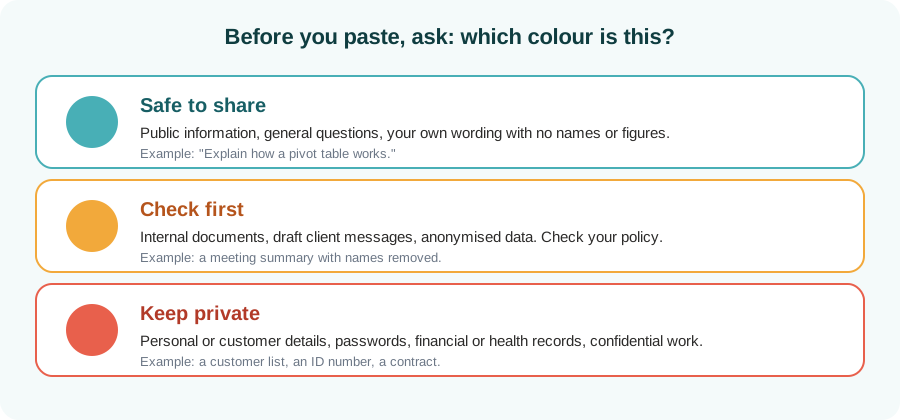
Before you paste: the traffic-light test

The biggest risk with public AI tools is what you put into them. Before you paste anything, decide which colour it is.

Traffic-light guide: safe to share, check first, keep private
Decide the colour before you paste.
When in doubt, leave it out. If you are unsure whether something is allowed, follow your organisation’s policy or ask before you paste it.

After you get an answer: check it

AI can sound confident and still be wrong. It can invent figures, names and sources. Treat every answer as a draft written by a helpful colleague who sometimes makes things up.

Check Ask yourself
Facts and numbers Can I confirm these in a trusted source?
Sources and quotes Do they really exist, and do they say this?
Tone and fit Is it right for this audience and situation?
Bias and fairness Could this unfairly describe or exclude anyone?

Stay accountable

If your name is on the work, you are responsible for it, whoever or whatever drafted it. Keep a record of how AI helped on important pieces, and be open with colleagues when it did.

Key takeaways

  • Use the traffic-light test before pasting anything into an AI tool.
  • Never share personal, customer or confidential information in public tools.
  • Verify facts, figures and sources before you rely on them.
  • You remain responsible for the final result.

Use AI with confidence

Our Generative AI Fundamentals course covers prompting, practical use and responsible practice.

Enquire about AI training